ASD Protocol
The ASD protocol is a legacy communications protocol used by Invensys/Barber-Colman field devices over EIA-485 serial networks. The Invensys/Barber-Colman ASD Protocol Driver for Gen5 OptiFlex Integrators connects these existing devices directly to the WebCTRL® building automation system, bridging Invensys/ Barber-Colman equipment natively into the Automated Logic ecosystem and providing facilities staff with unified visibility and control. This solution supports a phased, low-disruption migration to a modern, openprotocol building automation system while preserving the value of existing infrastructure.
ASD Protocol
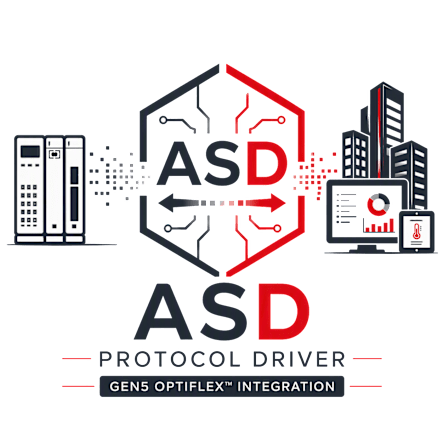

The OptiFlex™ Integrator connects directly to Invensys/Barber-Colman EIA-485 serial networks, acting as a primary communication bridge to legacy ASD devices. It utilizes the ASD protocol to seamlessly query controllers and read and/or write analog and binary data points.
Read/Write Capabilities: The driver allows the Gen5 OptiFlex Integrator to communicate via EIA-485 serial ports to read and write analog and binary points on legacy ASD devices, including MicroNet, MicroFlo, MicroZone, and PEM controllers.
Streamlined Data Mapping: ASD device data is mapped directly into control programs within the OptiFlex Integrator, enabling native WebCTRL features—including alarms, schedules, and trends—to be applied without the need to use a separate system.
The OptiFlex™ Integrator connects directly to Invensys/Barber-Colman EIA-485 serial networks, acting as a primary communication bridge to legacy ASD devices. It utilizes the ASD protocol to seamlessly query controllers and read and/or write analog and binary data points.
Read/Write Capabilities: The driver allows the Gen5 OptiFlex Integrator to communicate via EIA-485 serial ports to read and write analog and binary points on legacy ASD devices, including MicroNet, MicroFlo, MicroZone, and PEM controllers.
Streamlined Data Mapping: ASD device data is mapped directly into control programs within the OptiFlex Integrator, enabling native WebCTRL features—including alarms, schedules, and trends—to be applied without the need to use a separate system.